DAW
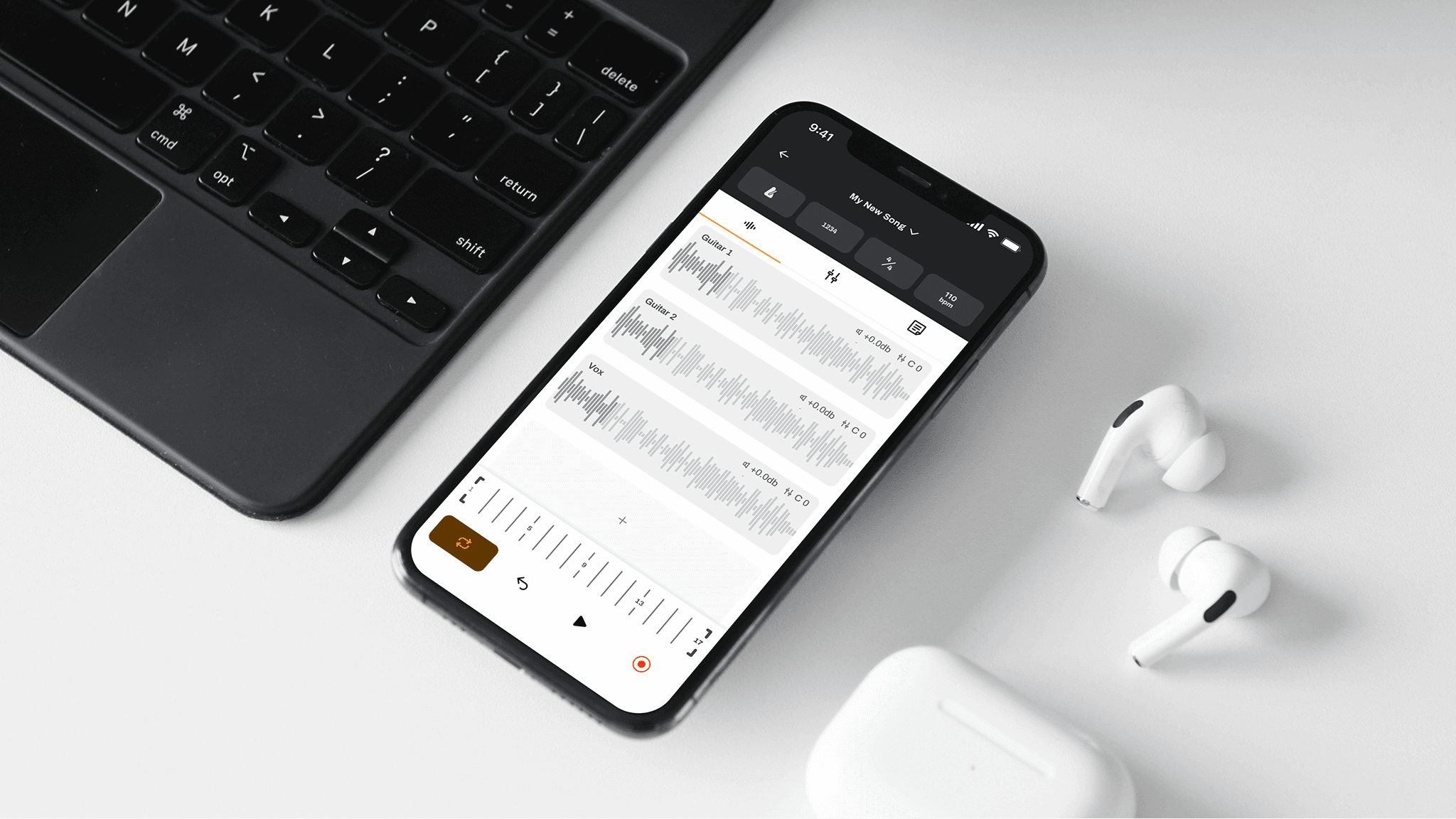
Put the essential functions of a professional digital audio workspace into your pocket
Problem
Capturing musical ideas when inspiration strikes is a critical part of the songwriting process. Many musicians rely on their smartphones to capture recordings, but developing ideas beyond what can be captured in a single take is not typically not possible. This requires musicians to jump into recording environments that are far more complicated just to continue ideating, increasing the risk of losing ideas to distractions and to the friction of more complex workflows.
Overview
DAW is a mobile digital audio workspace concept designed to help musicians develop song ideas the moment inspiration strikes. In this project, I explore how the essential functions of a professional recording environment — layering tracks, shaping levels, navigating takes, and staying in creative flow — can be translated into a simpler, pocket-sized songwriting tool without inheriting the complexity of desktop production software.
Objectives
Identify critical user experience and interface challenges for musicians who need to capture and develop musical ideas
Design an interface that solves the identified UX and UI challenges
Introduction
DAW stands for digital audio workspace. Professional musicians and audio engineers rely on these digital tools to record music and make it sound world-class. An exceedingly wide gap exists between the digital tools available on a smartphone and those that you can use on a computer. True DAWs like Logic Pro or Ableton allow producers to accomplish nearly any sonic possibility. Although smartphones remain limited in their professional production capacities, there is a great deal of potential for them to be far better songwriting companions than they are now.
As a songwriting musician, I often find myself wanting to record multiple layers of audio on my demo recordings without having to go into the studio. That could be to see what a melody might sound like over some chords, or maybe to explore harmonizing with my own voice. This, however, is currently impossible; or, at the very least, harder than it should be. And that is why DAW exists: to put the essential functions of a professional digital audio workspace into your pocket. The vision is to enable musicians to get more creative with their demos from anywhere.
Discovery
How do we simplify complexity?
When I took on this project, I knew a major challenge would be shrinking down the functions of a DAW to serve the needs of the songwriters I’m designing for. If you’ve never spent any time using a DAW, take a look at the complexity of the interface of Logic Pro.
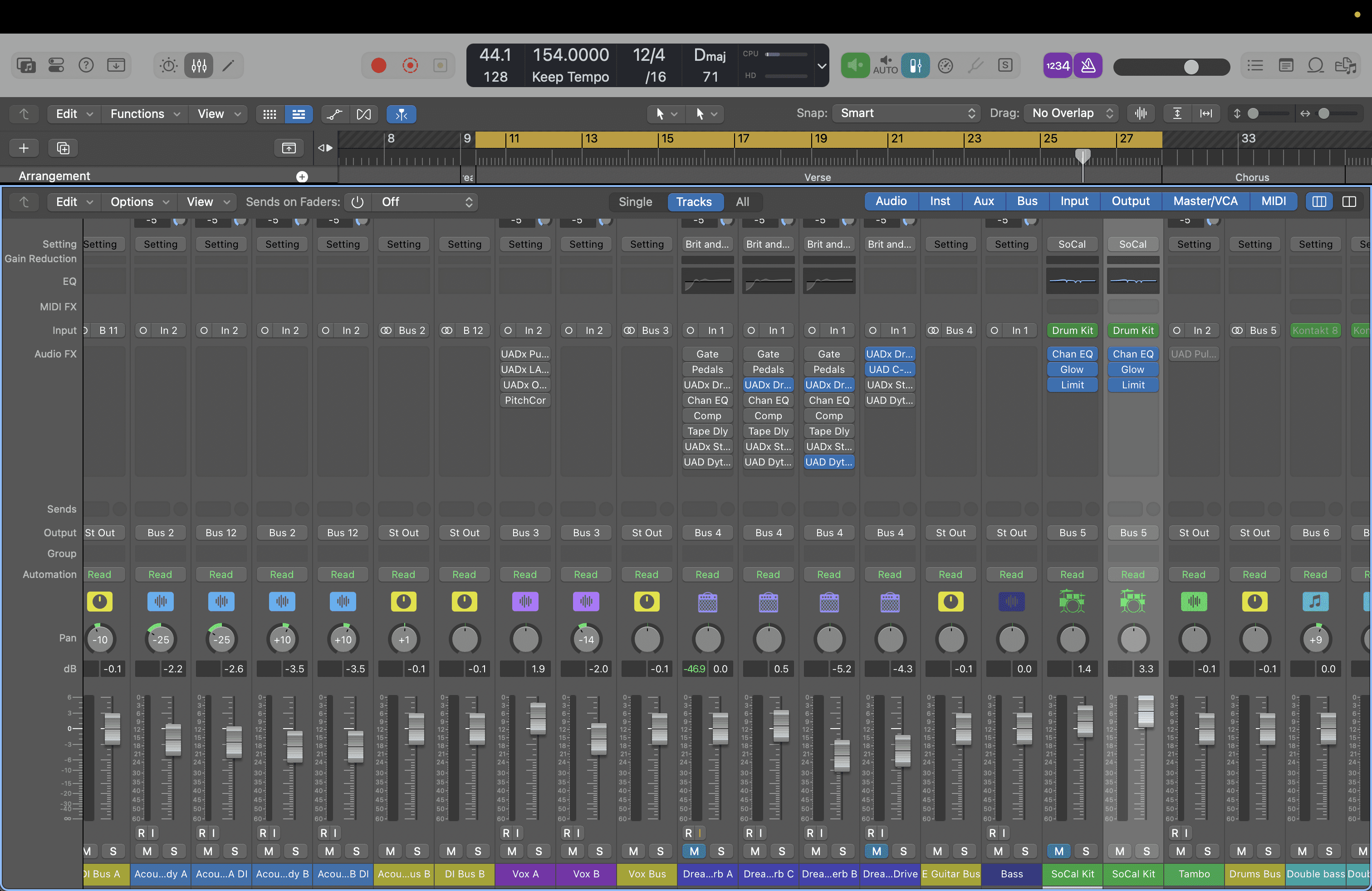
There are dozens (or even hundreds if you count nested options) of different types of controls and functions on this screen alone, and this is just the mixer (where each audio track is controlled and modified). During a recording session, it’s common to frequently navigate between several screens of similar complexity. You can see why it’s desirable to avoid the studio when you just want to explore a melody over some chords.
How do existing solutions help? Where do they fall short?
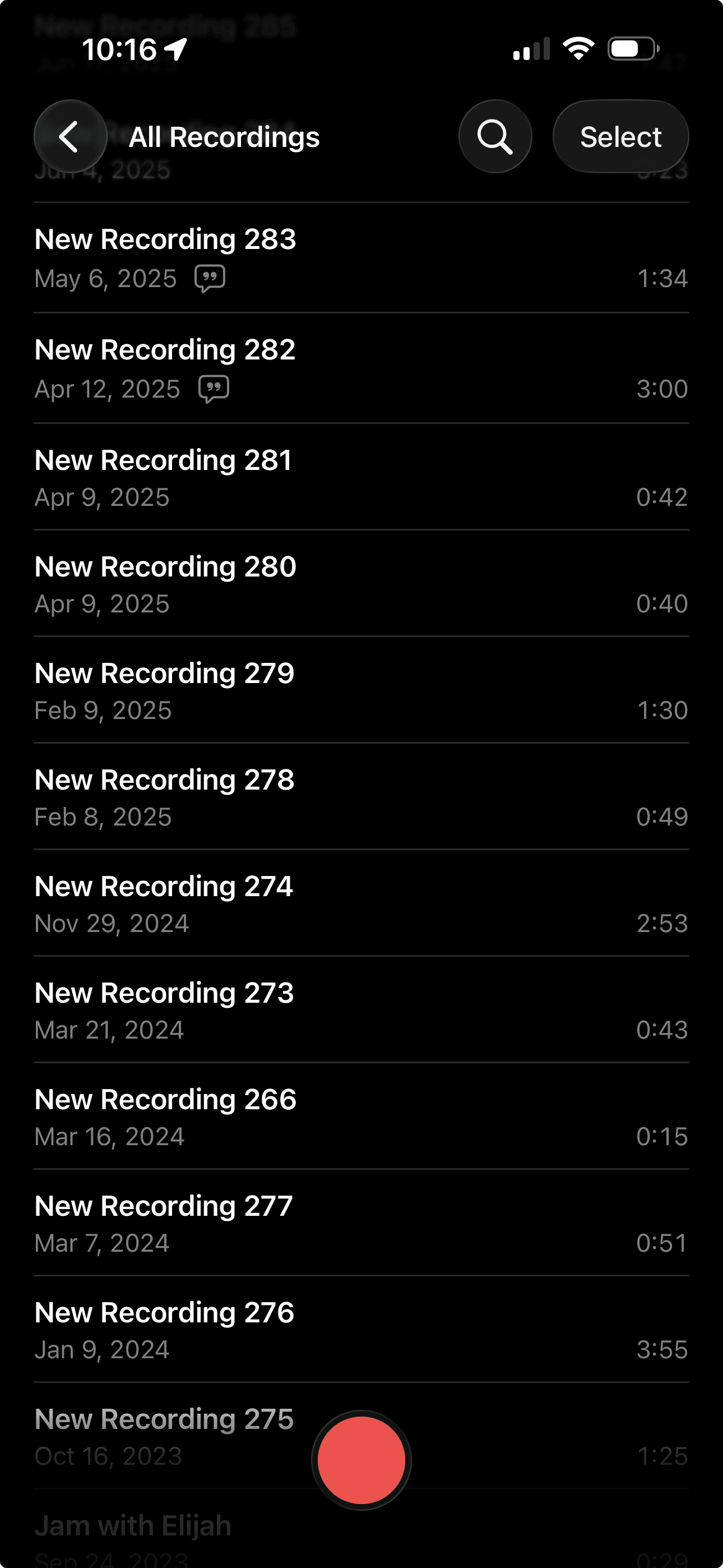
On the other hand, something like Voice Memos (standard on iPhone) gets full marks for simplicity and quick access, but generates a different problem because you can only capture what you can record all at once, and it doesn’t make it easy to find that one perfect take a couple of days ago. What do you title the fifth take of a guitar piece you haven’t named yet? When you’re in flow, this isn’t the sort of thing you pause to think about, so unnamed, uncategorized recordings pile up, which means that retrieving the one you're looking for can be a real pain. So, it works for playing back the recording so that you can perform along with it, but not for scaffolding out a song.

Some apps already exist that aim to enhance the songwriting experience. One notable option is Demo, which gravitates more around the lyrical and structural aspect of songwriting than it does the recording. It seems to be aimed at songwriters who want prefabricated progressions and loops that can help spark inspiration. This is double-edged because those tools can be the catalysts that they’re intended to be, but they can also impose a songwriting workflow that feels rigid — even stifling. Additionally, the views that open up by tapping on the “Chords” and “Lyrics” cards felt disorienting as a mental model.
Considering directly competing features
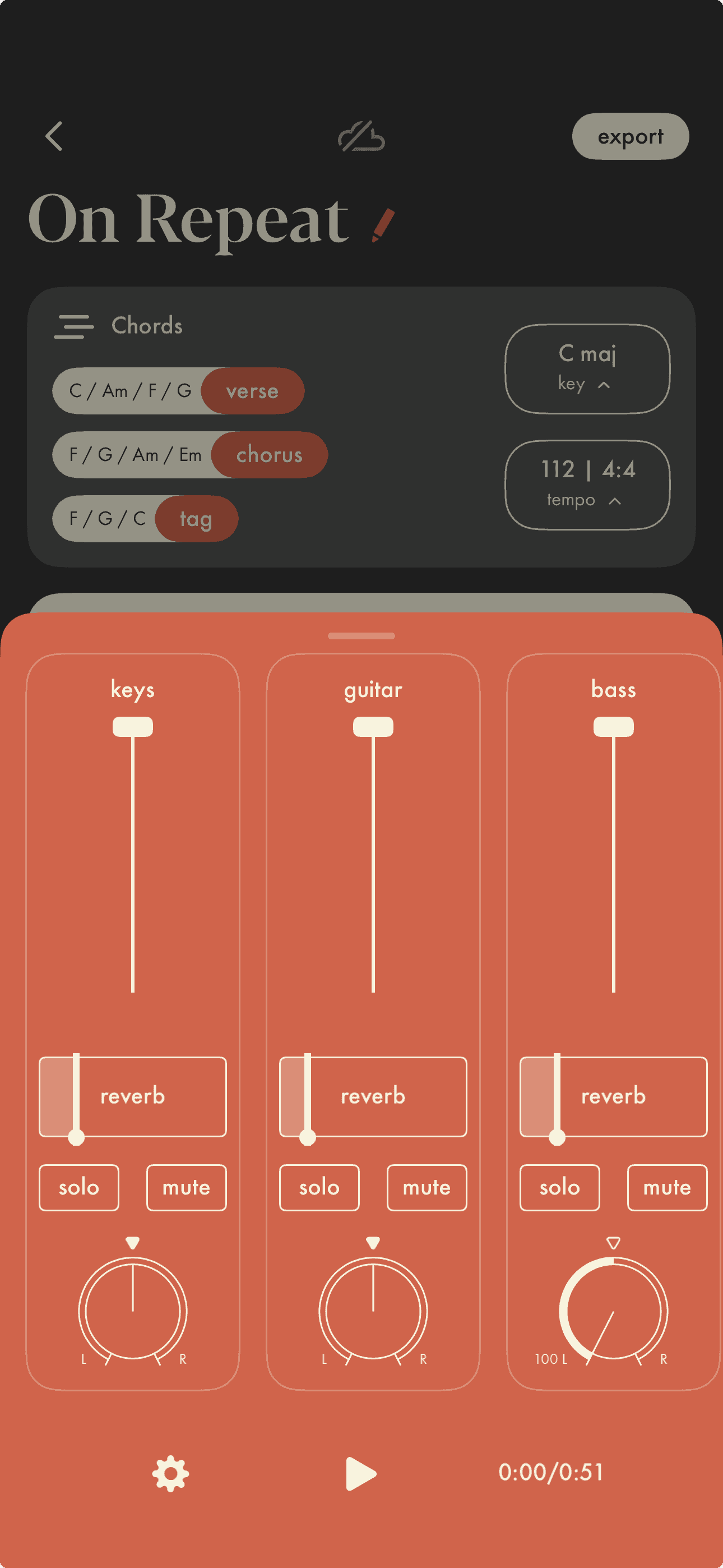
Since designing DAW, Demo has implemented multi-track recording, levels, panning, reverb, and more. It’s mobile-friendly and lightweight just as it should be, but I still notice a fundamental difference in ethos between Demo and DAW; namely, DAW doesn’t mean to help you find inspiration, it means to give you what you need when inspiration strikes
Exploration
Using see/do to start organizing information
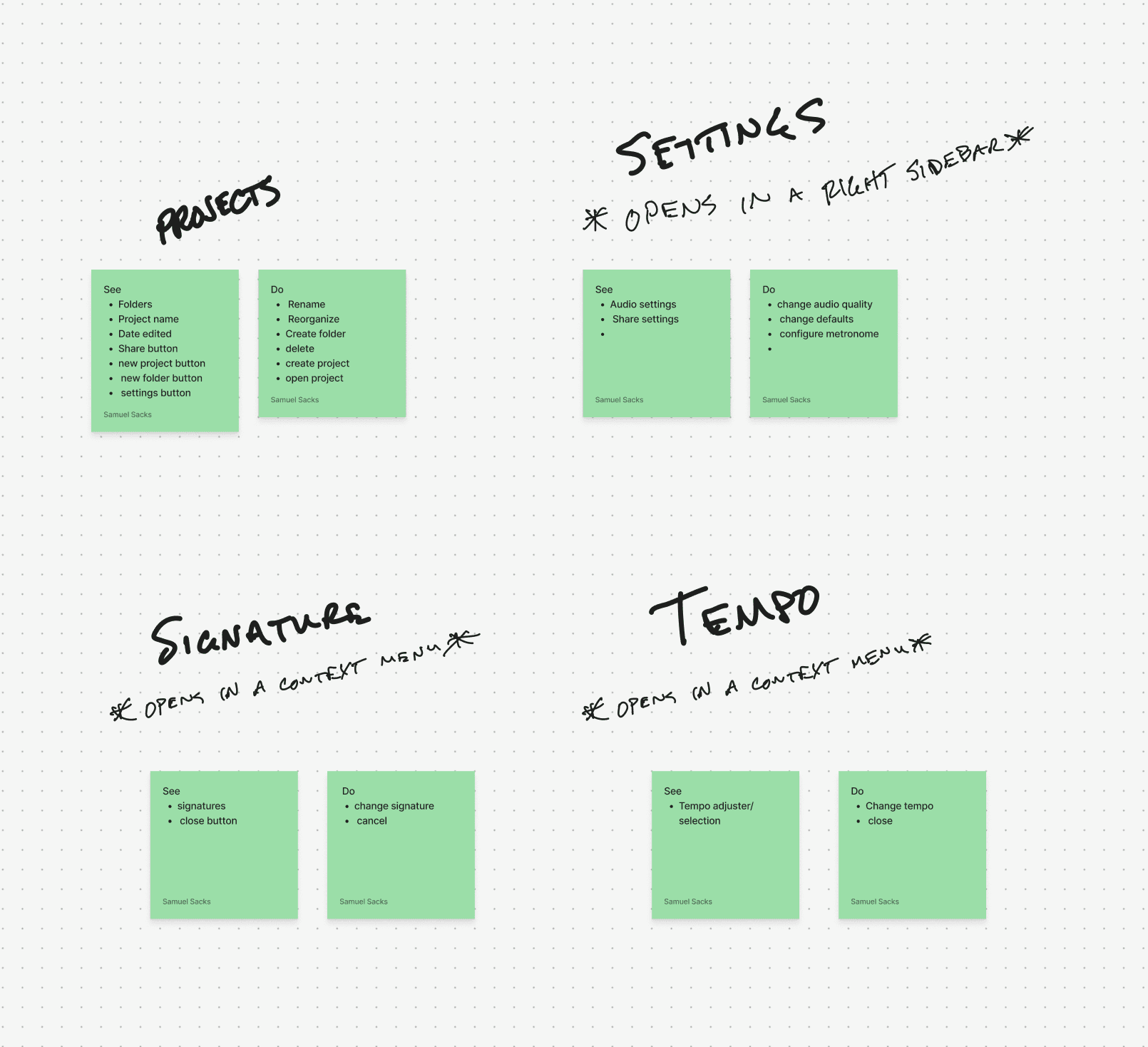
I took to FigJam to begin the process of exploring solutions. One of my favorite exercises to start organizing information is a see/do. This made the challenge of shrinking a full-size DAW more manageable. I wrote out some of the anticipated features of the app, then added a sticky note for what information the user should see and which actions they should be able to take respectively.
Iterating in low-fidelity to generate possibilities
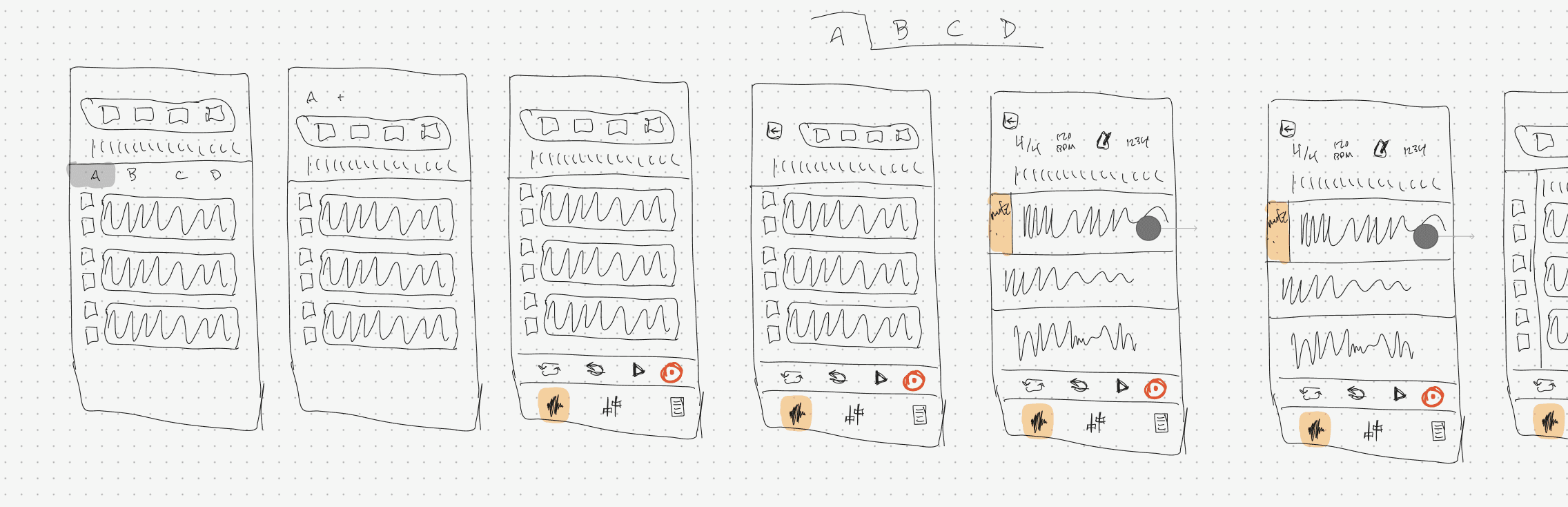
I started sketching the song workspace because it’s the most feature-rich and where the user will spend most of their time. This marked the beginning of interpreting the visual language of the typical DAW to suit mobile interactivity.
Ideating intuitive and accessible solutions
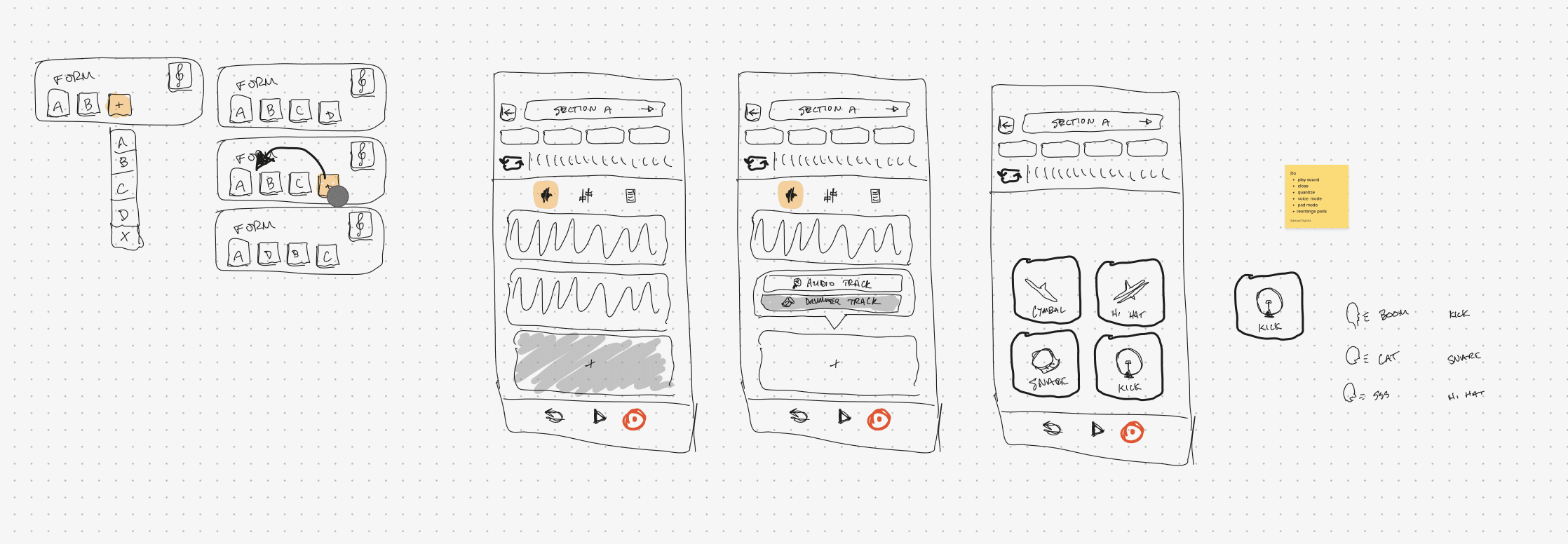
The interface was quickly becoming more legible as I found potential homes for important features and information. One exciting opportunity that cropped up around this time was how to handle drums. The wireframe to the far right shows how the user could record or program installed drum samples to take their musical ideas even further. One possibility is that these sounds could be recorded live by tapping to the rhythm or by programming that rhythm using a step sequencer. Another possibility is using voice recognition to beatbox a groove that the app will interpret to activate the corresponding piece of the drum kit.
Investigating user flows
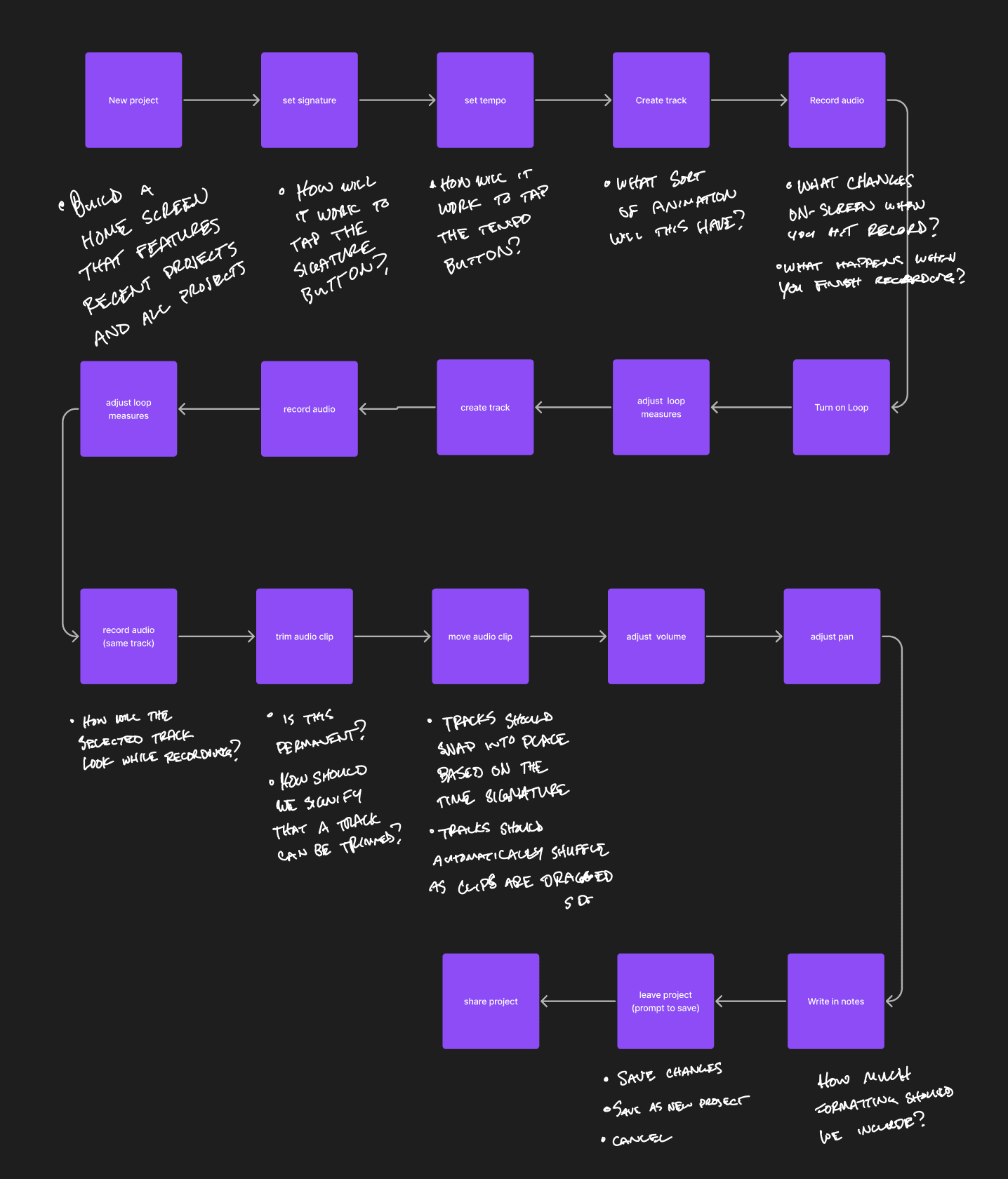
I turned my attention away from the interface and toward the holistic experience. I did this by mapping out a flow that included most of the anticipated features of the app. Once I did, I started writing down critical notes and questions about each step. This kept features grounded in feasibility and brought hidden challenges to the forefront.
Mid-fidelity and feedback
Creating a simple component library
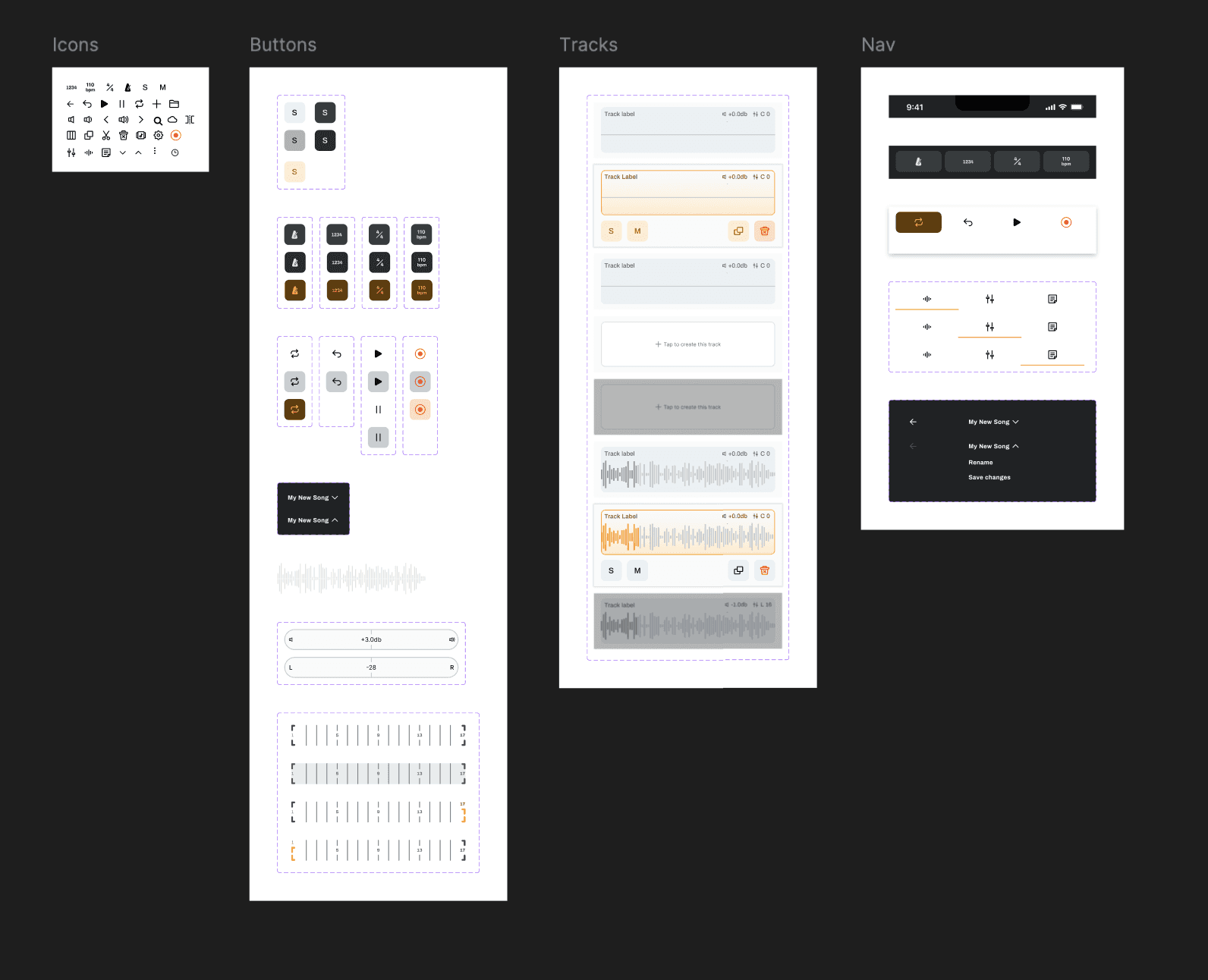
I started on a simple component library with atomic design in mind. I started with essential buttons and controls that became building blocks for other more complex components. At this phase, I prioritized building components quickly and efficiently rather than spending extra time on details that may end up being discarded anyways. The goal of these components was simply to speed up the building process so that I could get feedback on my designs.
Seeking out feedback
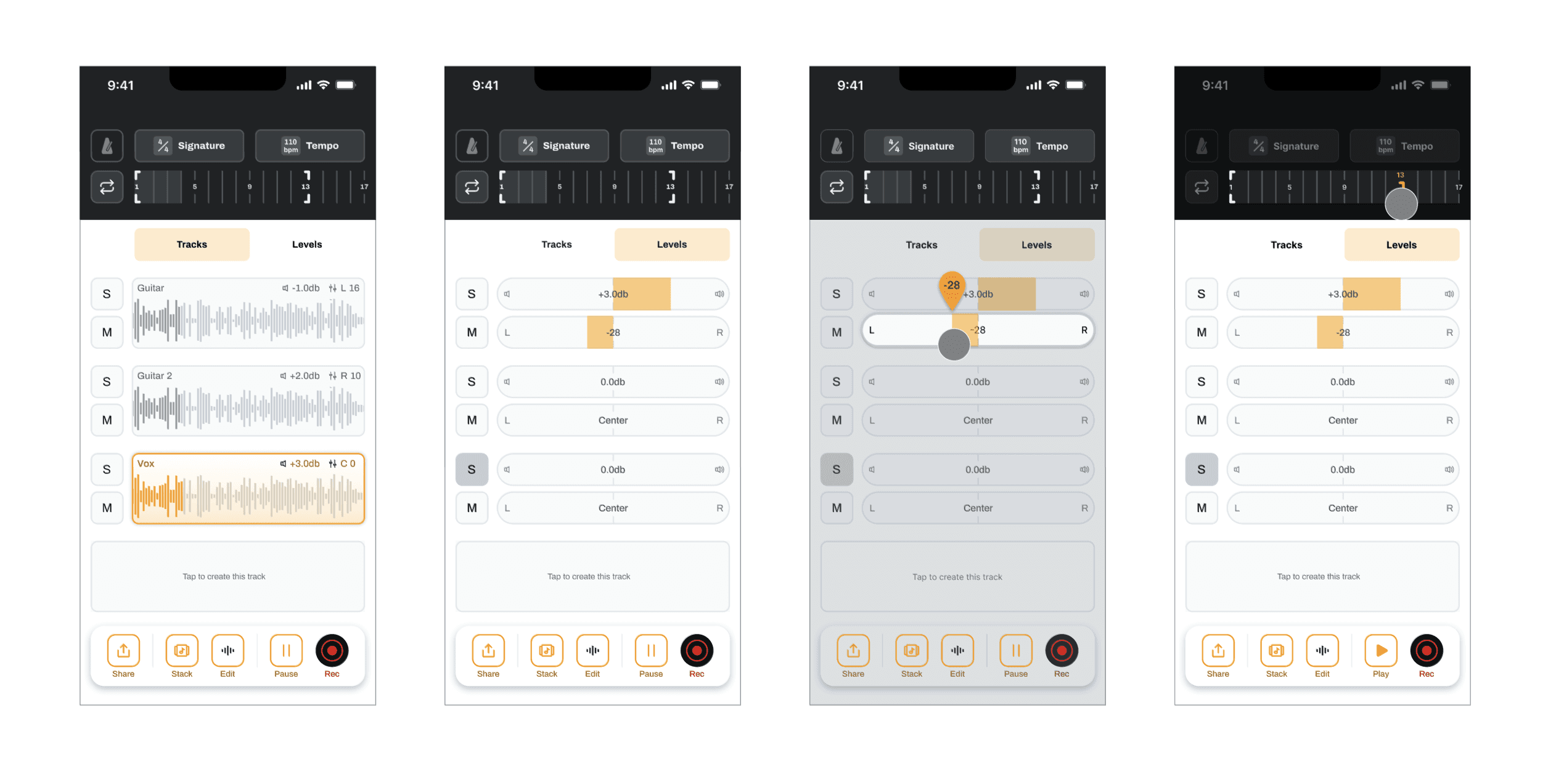
Prior to seeking feedback from my AJ, my mentor, I brought the designs up to mid-fidelity. I incorporated some intended interactivity as well. I wanted my ideas to be more legible so that they would be easier to discuss. He made some really positive remarks about the UI design. He believed it was doing a great job of making complex information understandable to people with limited understanding of how music is recorded. He pointed out some opportunities to implement more recognizable design patterns and to tighten up the color system.
Iteration
Simplifying UI styling
I designed pressed states for the buttons that sit on dark backgrounds instead of using the same pressed state for both light and dark. For the “Tracks” and “Levels” tabs, I turned down the noise ratio by using a bottom stroke instead of a fill. The snackbar at the bottom benefited from more space between the controls and a simplified appearance.
Improving accessibility of controls
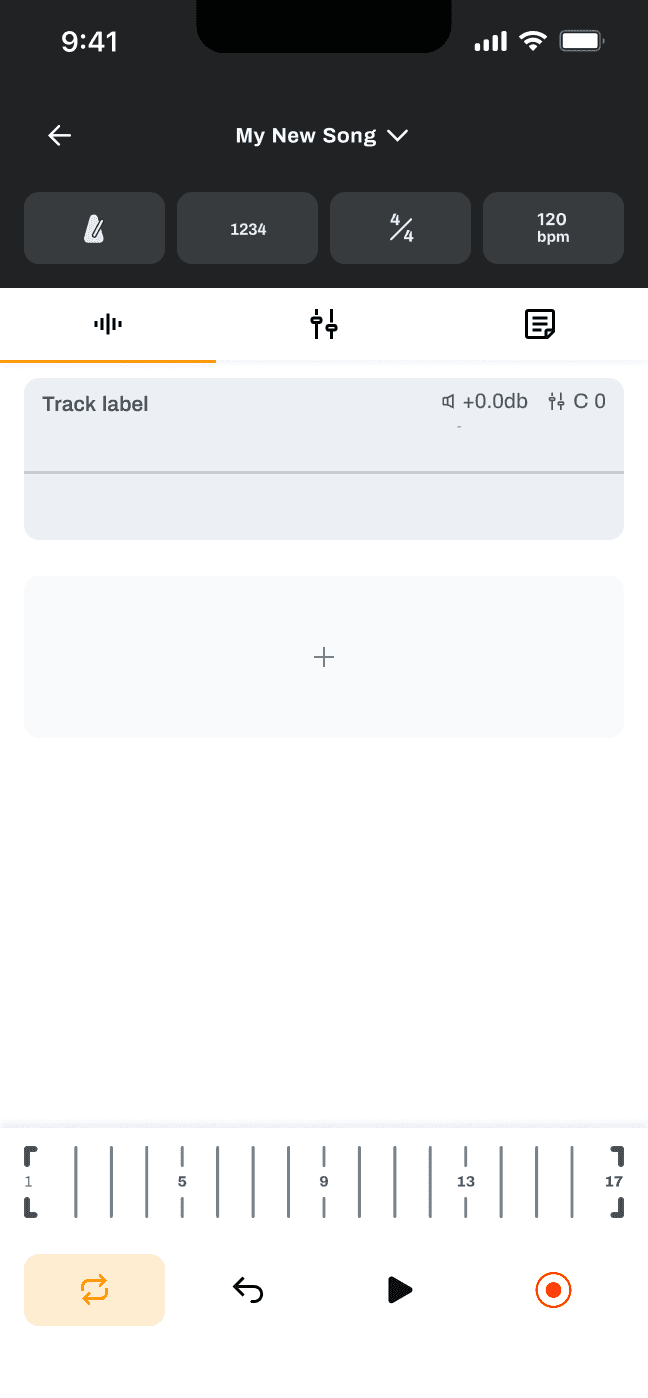
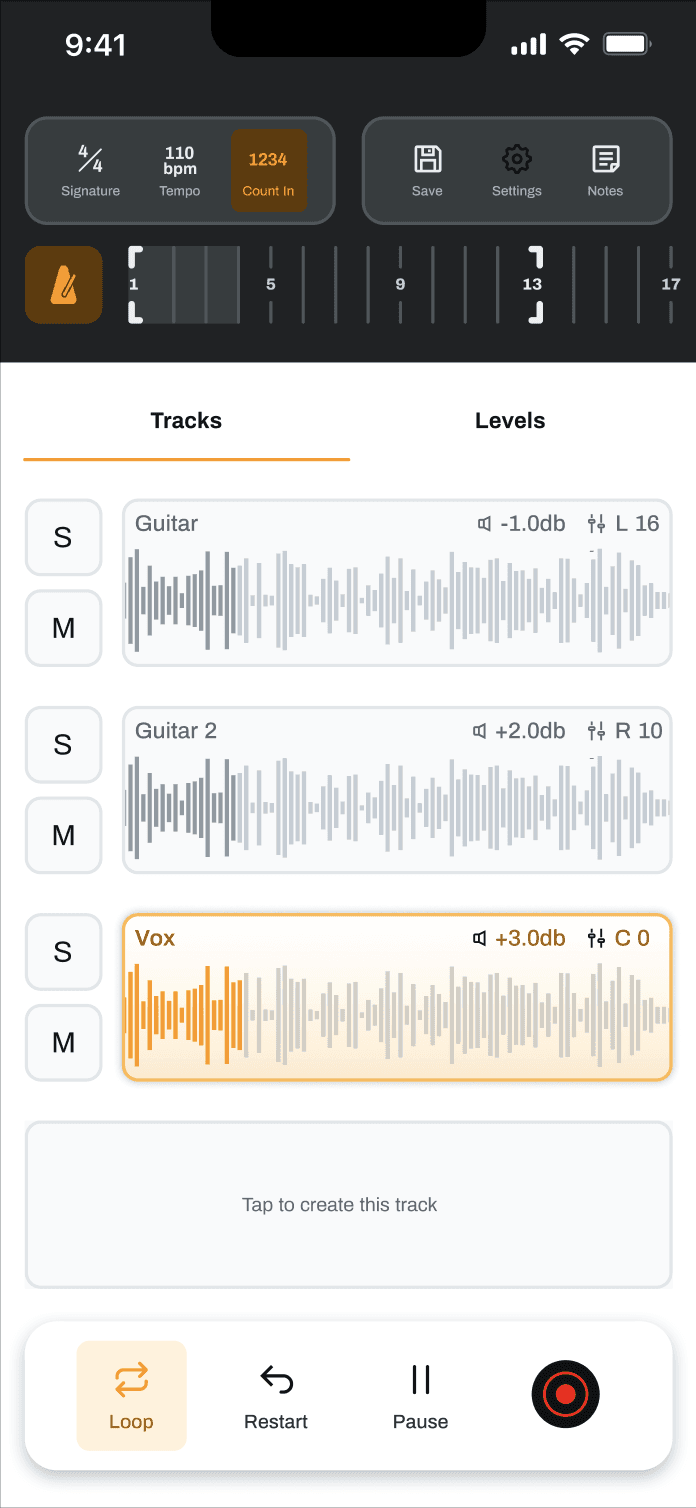
In the next iteration, I moved the controls that need to be accessed more frequently to the bottom of the screen so that they would be easier to reach. I chose to hide the Solo and Mute buttons on the levels tab to improve focus and increase real estate inside of the Tracks view. It’s important that the width of the Signature Ruler and the audio tracks matches because that visual relationship communicates something about how the Ruler works.
Leveraging mobile design patterns to improve UI
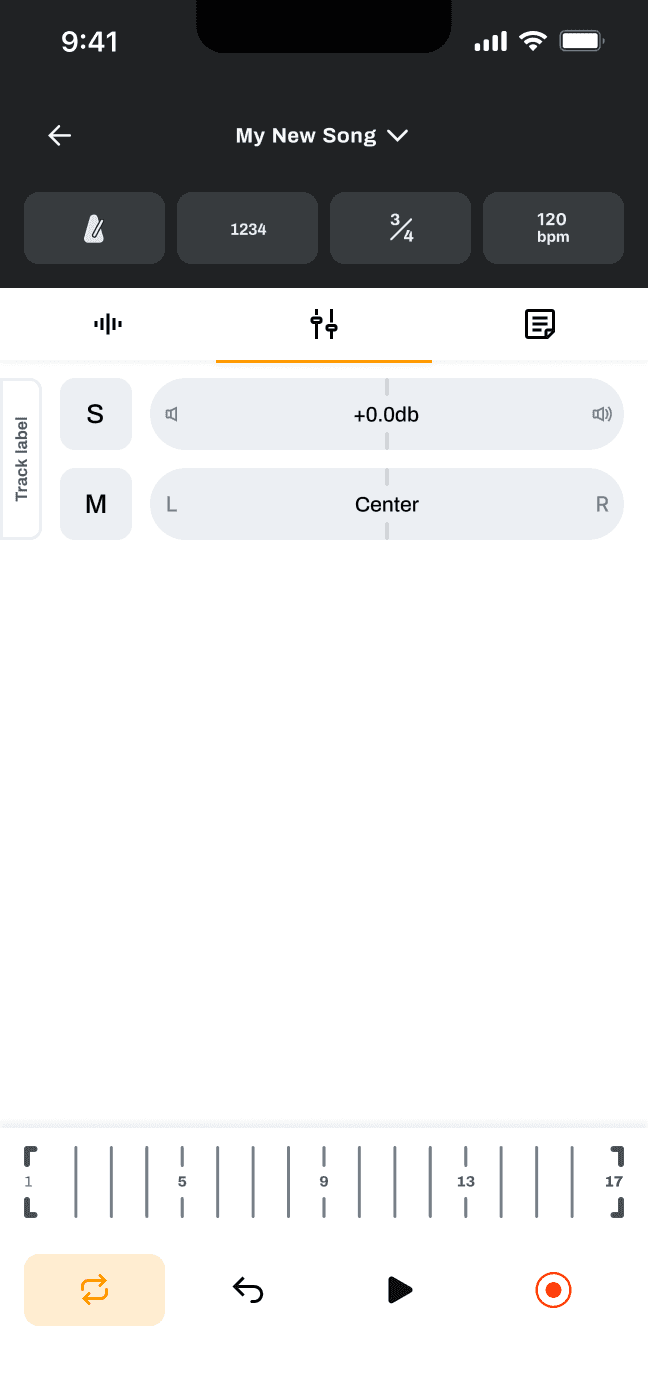
Essential functions like solo, mute, volume, and panning are all controlled on the “Levels” tab. Instead of trying to closely imitate the appearance of what you might see in a desktop DAW, I chose patterns that are more familiar and usable to mobile users.
Innovating popover menus to solve unique UI challenges
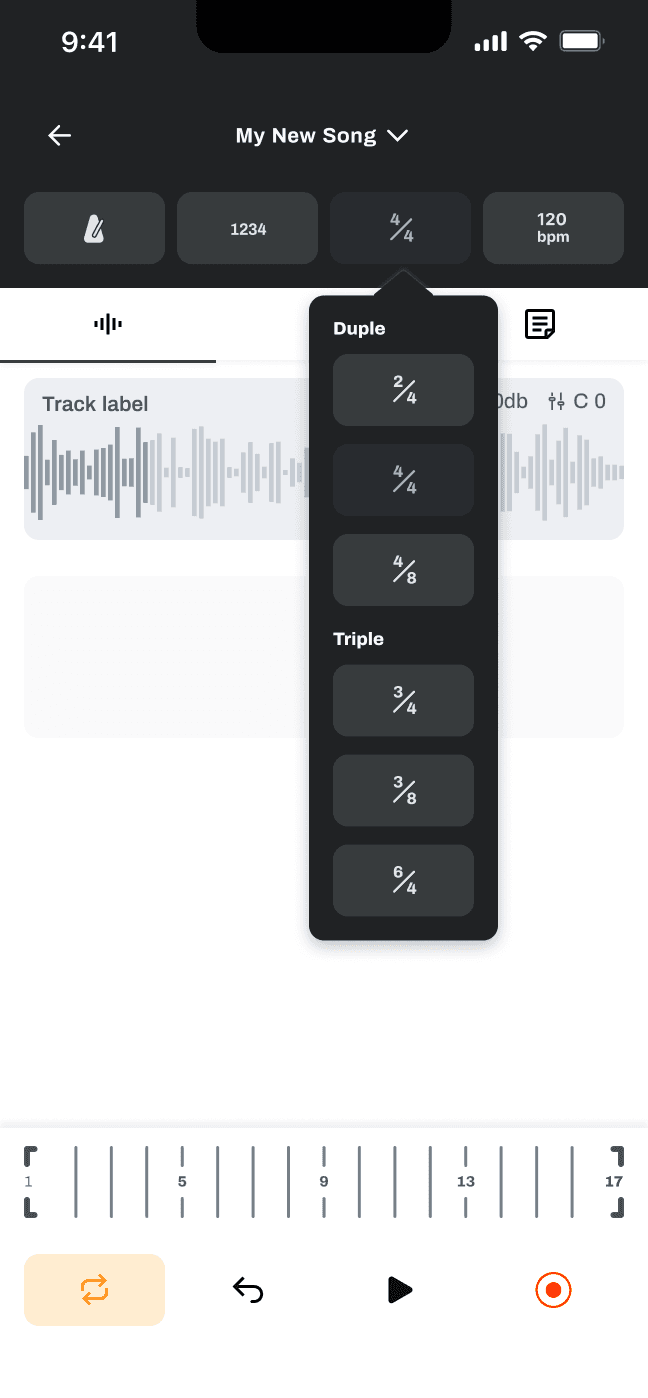
I designed the app’s popover menus with goals of keeping interaction cost low and avoiding context switching to a settings screen. This was important because the app is meant to be used during states of flow where seconds of friction that result in broken focus can be the difference between capturing the idea and losing it forever.

This popover slider allow users to make large changes to tempo by sliding, or fine changes by tapping the plus and minus buttons. Tempo title (upper right of the slider) is updated according to BPM (beats per minute).
Mid-fidelity prototype

Next steps
Usability data on existing designs would help refine what’s already there, but the product requires deep collaboration with devs in order to make any more meaningful progress. The app requires implementation of some complicated functionality under the hood in order to run as intended — metronomes with customizable time signatures, optional count-in, tempo control, selection of measures for playback, overdub recording, audio that plays through headphones but is recorded through the phone’s microphone. To continue designing this product as efficiently as possible would require more specialized expertise on implementation and feasibility.
Outcomes
Audited existing solutions to identify threats and opportunities
Distilled the complexity of a desktop DAW UI down into a usable mobile experience
Created a system of components to expedite the design and prototyping processes
Iterated from skilled feedback to improve usability and accessibility
Innovated popover menu design to solve unique UI challenges
Designed a prototype to gather usability data
Reflection
As a musician myself, I had a ton of fun getting my DAW app to where it is now. My greatest strides were definitely in my UI design skills. The challenge of shrinking the complexity of a desktop tool as feature-packed as a digital audio workspace and interpreting it to suit mobile viewports and interactivity was a rich opportunity for growth for me as a designer. To be successful here required me to consider what was truly essential about a DAW, the people who would be using it and how. I’m proud of the experience and interface that I built here, and hopefully someday I’ll be able to complete the work once I’m either paired with a like-minded developer or am able to deepen those skills on my own.